
Steam companion · Web + Overwolf

SteamTrackr

SteamTrackr is your personal Steam companion. Track your entire Steam library, monitor your playtime across all games and finish achievement lists, in your browser at steamtrackr.com or in an Overwolf overlay on top of your game.

EpicSteamTrackrSteamLive · Web + Overwolf
ActiveWebsite & Overwolf App

Your Steam library, everywhere

See how many hours you’ve spent in your favorite games, or discover which titles in your library you’ve been neglecting. SteamTrackr is available both as a standalone website and as a native Overwolf app.

Sign in once and your tracking data syncs between the Overwolf app and the web app. Play at your desktop, check your stats from a browser later. Same account, same library.

Domainsteamtrackr.com
PlatformsWeb + Overwolf
StatusActive

Stack

ReactTypeScriptNode.jsOverwolf SDKSteam API
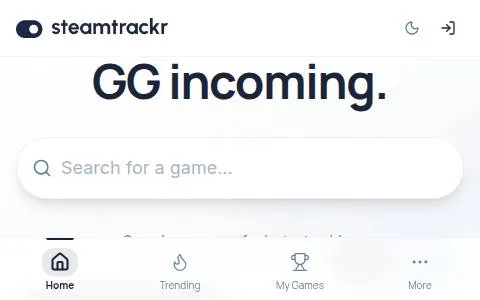
The SteamTrackr website at steamtrackr.com
SteamTrackr 2.2, now on Overwolf
Features

Track, hunt, finish

Library and playtime tracking on the web, and an in-game overlay that knows which game you’re playing.

01

Library and playtime

Track your entire Steam library and monitor your playtime across all games. Browse your library, check playtime and plan your next completion run.

02

A true in-game overlay

SteamTrackr runs as an overlay on top of your game, so you can check an achievement list without alt-tabbing. The desktop window mode stays, and you can switch between the two in Settings.

03

One global hotkey

Ctrl+Shift+S toggles SteamTrackr in and out of view, there when you need it and gone when you don’t.

04

Knows your game

SteamTrackr detects the game you’re running and loads its achievement list on its own.

05

Achievement guides and rarity

Get a step-by-step guide for the achievement you’re stuck on without leaving the game. Each achievement is graded from Common up to Legendary based on global completion rates.

06

One account, web and Overwolf

Sign in once and your tracking data syncs between the Overwolf app and the web app at steamtrackr.com.

FAQ

SteamTrackr questions

Q1What is SteamTrackr?

SteamTrackr is a Steam companion that tracks your Steam library, monitors your playtime and helps you finish achievement lists, on the web at steamtrackr.com and as an Overwolf app.

Q2Is SteamTrackr free?

Yes. SteamTrackr is free and supported by ads. SteamTrackr Pro removes the banner and guide ads.

Q3Can I use SteamTrackr in a browser and in game?

Yes. Use the web app at steamtrackr.com or the Overwolf app. Sign in once and your tracking data syncs between the two.

Q4How do I open SteamTrackr in game?

Ctrl+Shift+S toggles SteamTrackr in and out of view. It runs as an in-game overlay or as a desktop window, and you can switch between the two in Settings.

Q5What do the rarity badges mean?

Each achievement is graded from Common up to Legendary based on global completion rates, so you can see which ones are worth bragging about.

Q6How do I request a SteamTrackr feature?

Feature requests are welcome in the Paz Studios Discord server. We prioritize features based on community demand and technical feasibility.

Get it

Start tracking

Use SteamTrackr in your browser at steamtrackr.com, or grab the app from the Overwolf Appstore.